Mid-Hudson Library System patrons now have expanded access to OverDrive/Libby materials through a Reciprocal Lending Agreement with three other New York public library systems:
– Mohawk Valley Library System – Southern Adirondack Library System – Upper Hudson Library System
The agreement means we now have access to some of their digital titles – those with available copies and no waitlist – and vice versa.
Follow these steps to add each system’s catalog to your Libby app:
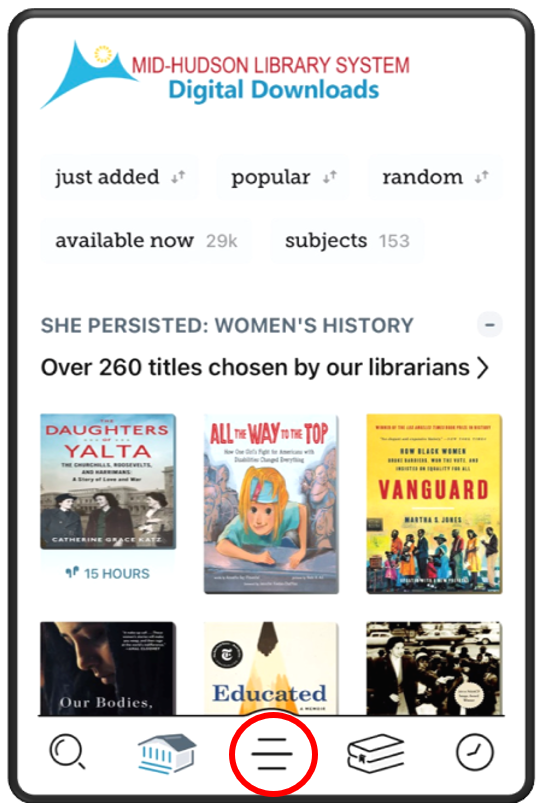
1. While logged into the Libby app, press the center button of your navigation bar at the bottom of the screen to open the menu.
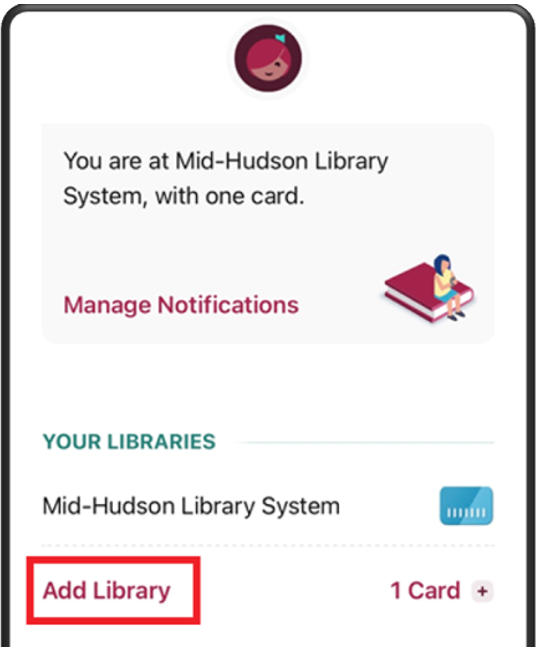
2. Select Add Library.
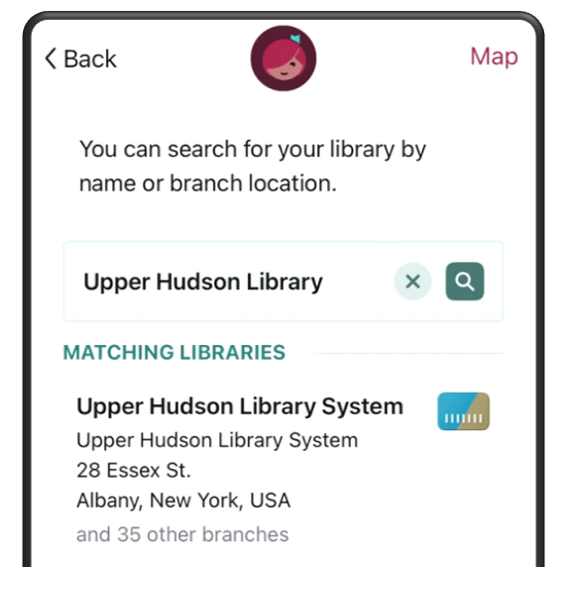
3. Search for any of the partnering library systems: – Mohawk Valley Library System – Southern Adirondack Library System – Upper Hudson Library System
and select from the MATCHING LIBRARIES list.
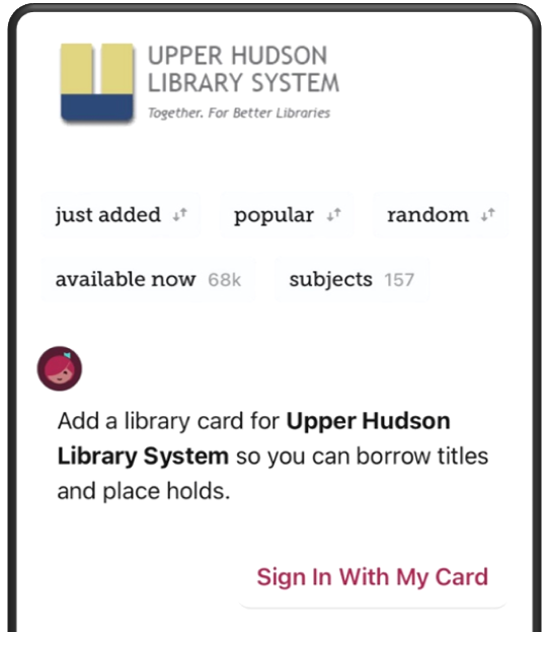
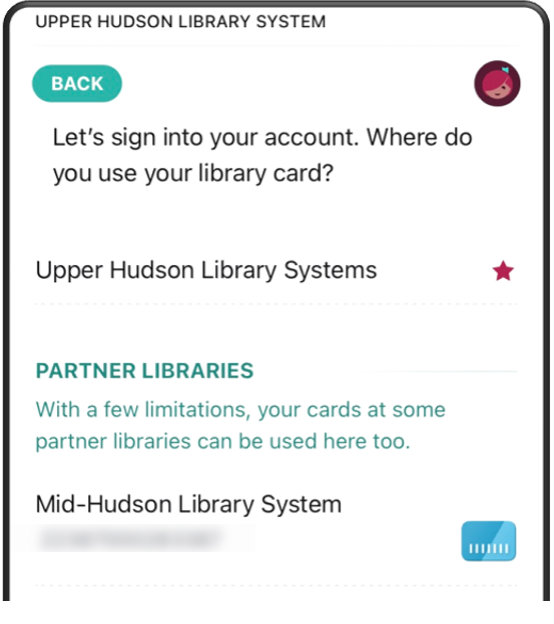
4. On the partner library system page, choose Sign In With My Card.
5. Under PARTNER LIBRARIES, select “Mid-Hudson Library System” and sign in with your MHLS card number and PIN.
6. Repeat the steps for additional library systems.
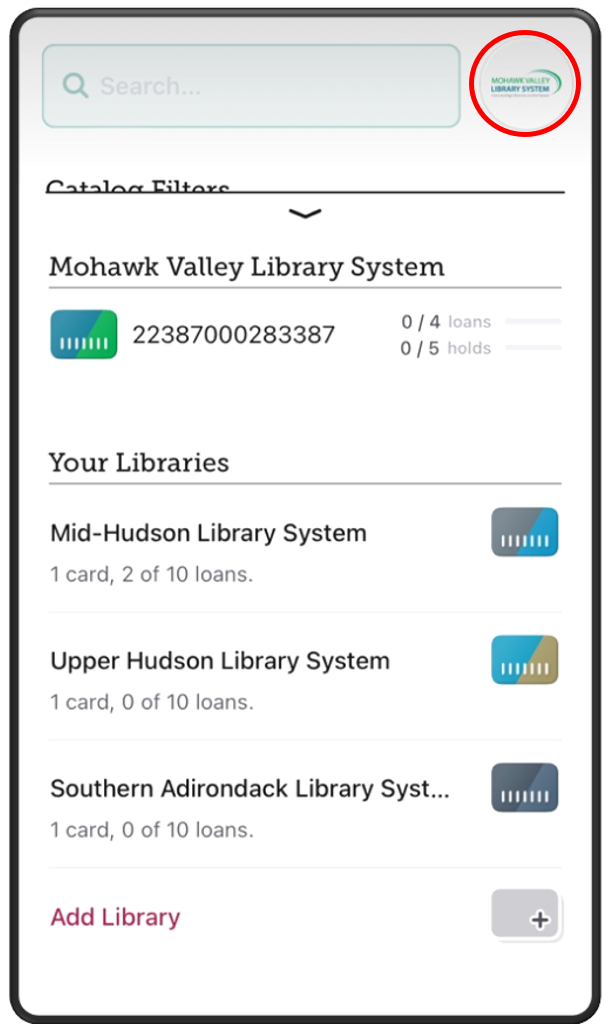
When multiple library systems are connected to your account, you will be able to tell which collection you are searching by the icon to the right of the search box. Click on this logo at any time to switch between collections.